


Draw a Stickman: EPIC 2
3.721.04K Reviews
App Specs
- Version
- 1.6.9
- Updated On
- License
- Free
- Downloads
- 10,000,000+
- Developer
- Hitcents
- Categories
- Adventure
- Platform
- Android, iOS
Screenshots
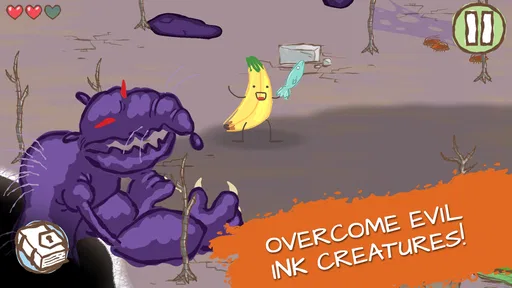
 Analysis by AppCompare
I went into Draw a Stickman: EPIC 2 expecting a simple doodle-based adventure, but its best ideas are more interesting than that description suggests. The game turns drawing into the main way I explore, solve problems, and interact with the world, so my own creativity matters almost as much as quick reactions. It is not a huge role-playing game or a demanding action title. Instead, it feels like a playful illustrated puzzle journey that works especially well when I want something unusual, approachable, and easy to pick up.
My overall view is positive, with one important qualification: the drawing mechanic is the reason to play, but it also creates the game’s limits. When a puzzle clearly responds to what I sketch, the experience feels charming and personal. When the solution is less obvious, I can end up trying random drawings rather than thinking through a satisfying chain of clues. That unevenness keeps it from being a perfect recommendation for everyone, yet it gives the adventure a personality that more conventional mobile games rarely have.
How the drawing idea shapes the adventure
The central appeal is wonderfully direct. I control a stick figure and use drawings as practical tools rather than treating them as decoration. The act of sketching becomes part of the adventure’s language: I look at a situation, decide what kind of object or effect might help, and then test my idea. That makes each obstacle feel more personal than tapping a standard ability button.
What I enjoy most is the small gap between intention and result. I do not need to be a talented artist, which is important because the game is about imaginative problem solving, not producing beautiful pictures. A rough drawing can still feel meaningful when it changes what happens on screen. That low artistic barrier makes the game suitable for children, casual players, and adults who usually avoid games built around precise controls.
The adventure category is a good fit because progress comes from moving through situations and discovering how the environment works. It is not simply a collection of disconnected drawing exercises. The setting gives my sketches a purpose, and the visual presentation keeps the tone light rather than turning every challenge into a serious logic test. I found myself paying attention to objects and hazards because the surroundings often suggest that I should experiment.
There is also a useful difference between drawing because the game asks me to and drawing because I think it might help. The latter is where the concept has its strongest moments. I can approach a problem with a little freedom, make a guess, and learn from the result. That sense of experimentation is more memorable than a conventional menu of tools, even when the final solution is fairly simple.
Why the controls work for casual play
The touch interface is naturally suited to the concept. I can start playing without learning a long list of commands, and the basic interaction makes sense quickly. This matters on a phone, where I may only have a few minutes and do not want to study complicated control layouts before reaching the interesting part.
Worth Reading Before You Choose

EA SPORTS FC Mobile 26 Is a Bigger Football Game, but It Takes Time

Flipboard Shows What News Apps Must Do Beyond the Feed

Switching to Android Auto Means Rethinking Your Driving Routine

Google Calendar Makes a Crowded Week Easier to Manage

Ludo King Makes the Most of the Minutes Between Plans

Baby Panda World Brings Quick Play to Modern Phones, but Its Game Library Feels Busy
In an everyday situation, I could easily see myself opening it while waiting for an appointment or during a short break. It offers more involvement than a passive time-killer, but it does not demand the concentration of a competitive action game. I can play at my own pace, try an idea, and put the phone down without feeling that I have abandoned a complicated schedule or team.
The same simplicity also makes it a good shared game. A parent and child can look at a puzzle together and suggest what to draw. Someone who does not normally play mobile games can understand the premise almost immediately. The game encourages conversation because the natural question is often, “What should we try next?” That is a stronger social quality than I expected from a solo adventure.
Still, touch drawing is not equally comfortable on every device. On a smaller phone screen, I sometimes have to be more careful about where I place a sketch, especially when the surrounding scene is busy. A tablet can make the creative interaction feel more relaxed, while a compact phone keeps the game convenient but may make detailed gestures less comfortable. I would choose the larger screen for shared play and the phone for quick personal sessions.
Small discoveries are more important than speed
The game rewards observation more than rapid tapping. I get better results when I pause and inspect the scene instead of immediately drawing the first object that comes to mind. That is a useful habit for players who enjoy environmental puzzles, because the challenge is often about interpreting what the world is showing me rather than beating a timer.
One practical approach is to treat each drawing as a test rather than a commitment. If an idea fails, I can use that failure to narrow down what the scene expects. I found this less frustrating when I deliberately changed only one part of my approach at a time. Drawing something completely unrelated after every failed attempt can make the game feel arbitrary, while small, purposeful experiments reveal more about the puzzle’s logic.
Another helpful habit is to avoid assuming that the most obvious object is the complete answer. A drawing may solve one immediate problem while exposing another interaction nearby. I had more satisfying sessions when I looked beyond the first reaction and considered what the new situation made possible. That layered thinking is one of the game’s less visible strengths, and it gives the adventure more depth than its simple presentation initially promises.
Where the experience loses momentum
The main weakness is that creative freedom can sometimes feel narrower than it appears. I may imagine several clever solutions, but the game may respond best to one particular type of drawing or interaction. When my idea seems reasonable but does not work, I am left guessing whether I misunderstood the puzzle or simply used the wrong visual interpretation.
This is a familiar problem in drawing-based games: the more open the input appears, the more carefully the underlying rules need to communicate their boundaries. Here, the charm of experimentation can turn into trial and error. I did not mind occasional uncertainty, but repeated attempts without a clear clue weakened the feeling that I was solving the puzzle through my own reasoning.
The presentation can also make some interactions easy to overlook. The hand-drawn style is part of the appeal, yet a playful visual scene may contain several objects competing for attention. When I became stuck, the issue was not always a lack of ideas; sometimes I had simply failed to notice a small environmental cue. That makes the game rewarding for patient players but less comfortable for anyone who wants constant clarity.
Players looking for fast combat, deep character development, or a long-term competitive system should set their expectations differently. This is not the right choice if the main goal is to improve a build, collect complex equipment, or compete against other people. A conventional action adventure will provide more intensity, while a traditional puzzle game may offer more precise logic and fewer interpretation problems.
What the edition and purchase model mean in practice
Hitcents presents this as a free game, which makes it easy to try before deciding how much time I want to give it. The content rating is Everyone, matching the friendly tone and accessible premise. I would feel comfortable recommending it as a family-friendly option, although younger players may still benefit from an adult helping with puzzles when the intended interaction is not immediately clear.
Optional purchases range from $0.99 to $99.99 per item. That broad range is worth noticing before handing the device to a child, particularly if purchasing controls are shared. I did not treat the presence of optional spending as a reason to dismiss the game, but I would make sure the player understands that free access and optional purchases are separate decisions.
The game was released on January 8, 2016, and its current version is 1.6.9. It supports devices running at least OS 7.1, so the technical entry point is relatively broad. That does not guarantee the same comfort on every phone, however. The most important practical consideration is screen size and touch accuracy, since the drawing mechanic is more dependent on those than a simple menu-driven game would be.
Its reach is substantial, with over 10 million installs, but popularity alone does not remove the creative trade-offs. The average rating is 3.7 from around 378 thousand ratings, alongside roughly 21 thousand written reviews. I read that combination as a sign of a game with a clear audience and a distinctive hook, but also one that will divide players who want every puzzle to behave in a completely predictable way.
Who will get the most from it
I would recommend it first to players who enjoy experimenting, visual puzzles, and games that let them feel involved in the solution. It is especially suitable for casual players who want a self-contained adventure without the pressure of daily competition. The drawing system gives it more character than a standard point-and-tap experience, while the approachable controls keep the barrier to entry low.
It is also a good choice for families who want to play side by side. One person can hold the phone while another suggests an idea, and the game’s premise is easy to explain without a long tutorial. The best shared moments come from comparing interpretations rather than simply taking turns with a button. That makes it a useful option for a short collaborative activity.
I would be more cautious recommending it to someone who becomes irritated by experimentation without immediate feedback. If you prefer puzzles with one clearly signposted logical path, the drawing mechanic may feel inconsistent. Likewise, players who want a substantial action challenge will probably find the pace too gentle. In those cases, a dedicated logic puzzle game or a more traditional adventure would be a better match.
For children, the Everyone rating and simple premise are reassuring, but I would still supervise purchases and be available when a puzzle becomes confusing. The game can encourage creative thinking, yet its open-ended presentation does not always explain why one attempt works and another does not. A little discussion can turn that uncertainty into part of the fun instead of a reason to quit.
My practical way to play
I get the best results by playing in short, focused sessions rather than rushing through the whole adventure. Before drawing, I scan the scene for hazards, movable-looking elements, and anything that seems deliberately placed. Then I choose the simplest plausible idea and observe the result. This method reduces wasted attempts and keeps the game feeling like an investigation.
When I am stuck, I change my question instead of merely changing the drawing. Rather than asking, “What object should I make?” I ask, “What problem is the scene presenting, and what kind of interaction would address it?” That shift is surprisingly useful. It encourages me to think about the environment’s purpose instead of filling the screen with random sketches.
I also recommend playing with patience around the edges of the screen. Touch controls can make a small gesture feel less precise than intended, so I try to draw clearly and avoid rushing near important objects. This is not a game where speed usually improves the experience. A deliberate stroke and a second look at the result are often more valuable than fast repeated attempts.
Final recommendation
Draw a Stickman: EPIC 2 succeeds because it makes a very simple action feel like a personal adventure decision. I am not just selecting a power from a list; I am proposing an idea with a sketch and watching the world respond. That gives the game warmth, accessibility, and a playful sense of discovery that stands apart from ordinary mobile adventures.
Its limitations are equally clear. Some puzzles can feel dependent on recognizing the intended interpretation, and the touch experience is more comfortable on a larger screen. The free entry point is appealing, but the optional purchases mean I would keep an eye on spending, especially for younger players. These are meaningful caveats, not deal-breakers, as long as I approach the game for its creativity rather than expecting a deep action system.
My final verdict is that this is a worthwhile pick for families, casual adventurers, and anyone who likes solving problems through experimentation. I would skip it if I wanted competitive play, complex progression, or perfectly explicit puzzle logic. For the right player, though, the rough edges are balanced by a distinctive idea: the adventure becomes more enjoyable when I stop searching for the one “correct” button and start thinking like someone carrying a pencil into a strange little world.
Pros
- Creative drawing mechanics make each puzzle feel interactive.
- Charming hand-drawn art style gives the adventure a distinctive look.
- Exploration rewards curiosity with hidden items and optional discoveries.
- Simple controls are accessible for younger players and casual gamers.
- Levels offer varied objectives instead of repeating the same puzzle formula.
Cons
- Some puzzles rely on trial and error rather than clear visual clues.
- The campaign can feel short for players who finish levels quickly.
- Certain drawing actions may be imprecise on smaller phone screens.
- Replay value is limited once the solutions and secrets are discovered.
- Occasional pacing issues make some sections feel slower than others.
FAQs for Draw a Stickman: EPIC 2
What is Draw a Stickman: EPIC 2 about?
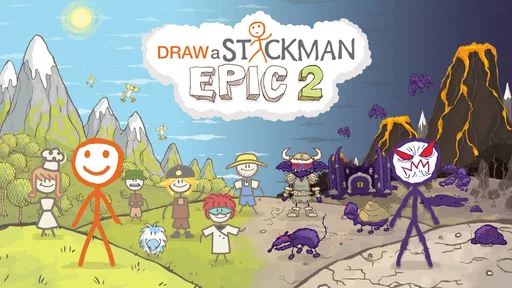
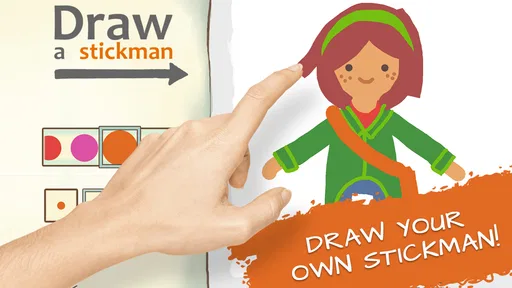
Draw a Stickman: EPIC 2 is a creative adventure game in which you draw your own stickman hero and guide the character through hand-drawn levels. You solve puzzles, overcome obstacles, and interact with the environment using different drawing tools. The game combines exploration, light action, and experimentation, making it suitable for players who enjoy imaginative gameplay rather than strictly traditional platforming.
How does the drawing system work in Draw a Stickman: EPIC 2?
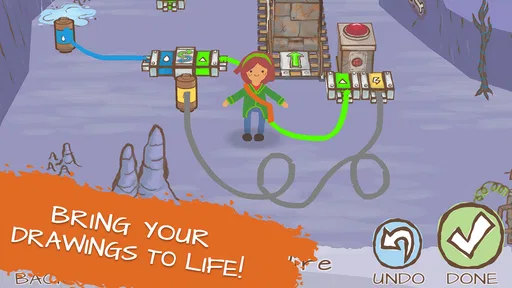
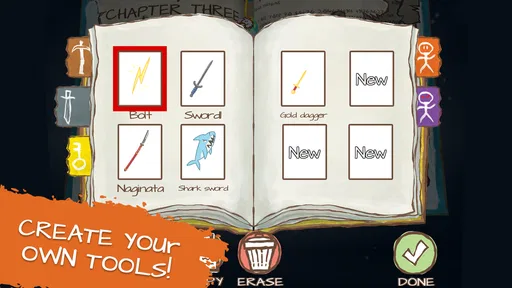
The drawing system is the main feature of the game. During the adventure, you unlock pencils and other tools that let you draw objects or effects directly on the screen. These drawings can help defeat enemies, activate mechanisms, cross hazards, or solve environmental puzzles. The controls are generally simple, although drawing accurately on a small phone screen may occasionally require patience, especially during faster or more demanding sections.
Is Draw a Stickman: EPIC 2 suitable for children?
Draw a Stickman: EPIC 2 is generally family-friendly and uses colorful cartoon visuals instead of realistic violence. Its puzzles encourage creativity, observation, and problem-solving, which can make it appealing to younger players. However, some levels may be confusing without guidance, and children may need help understanding what each drawing tool does. Parents should also check the current store listing for advertising, in-app purchase, and privacy details.
Can Draw a Stickman: EPIC 2 be played offline?
The main adventure is designed as a single-player experience, so an internet connection is typically not needed once the game has been installed. Playing offline can be useful during travel or when you want to avoid interruptions. Nevertheless, online access may still be required for downloading the app, receiving updates, restoring purchases, or displaying certain store-related features, depending on the Android or iOS version available on your device.
Is Draw a Stickman: EPIC 2 free to download and does it contain purchases?
The price and monetization model can vary between the Android and iOS versions, as well as by region and store promotion. Some editions may be free to download with advertising or optional purchases, while others may require an upfront payment. Before installing, review the official store page carefully for the current price, supported devices, advertisements, in-app purchases, and any additional content that may not be included in the initial download.


